Setup Holux and other tips
Holux driver on Windows 10
Restart Windows with driver signature disabled, launch windows update and look at optional updates : a LOCOSYS driver should be available to install.
Configuring on Android
Download MTKUtility here : https://play.google.com/store/apps/details?id=com.adtdev.mtkutility
For AGPS, download 14d version of EPO and when chosing the file from internal browser, the button select is the icon.
5 Hz is sometimes not easy to setup. It can be done on application mtk toolkit, put 2 sec for frequency (and not 0.2s somehow). Check Hz by starting a racechrono session.
BT747 Setup
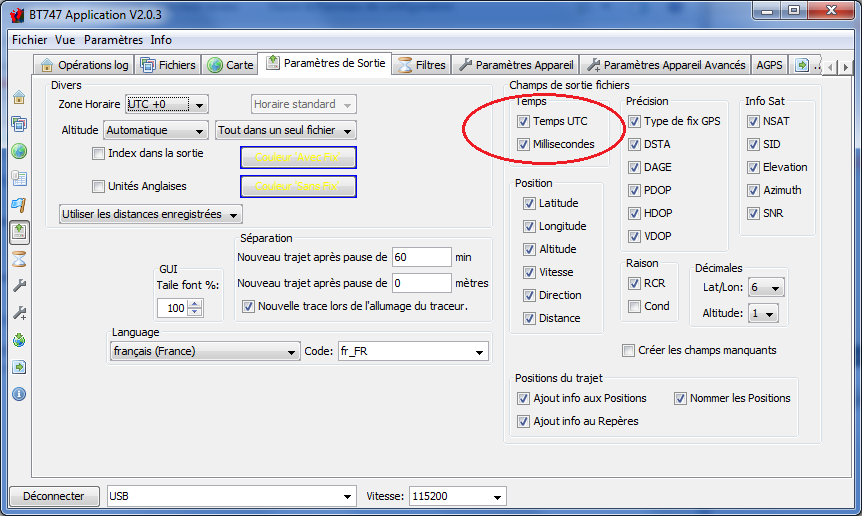
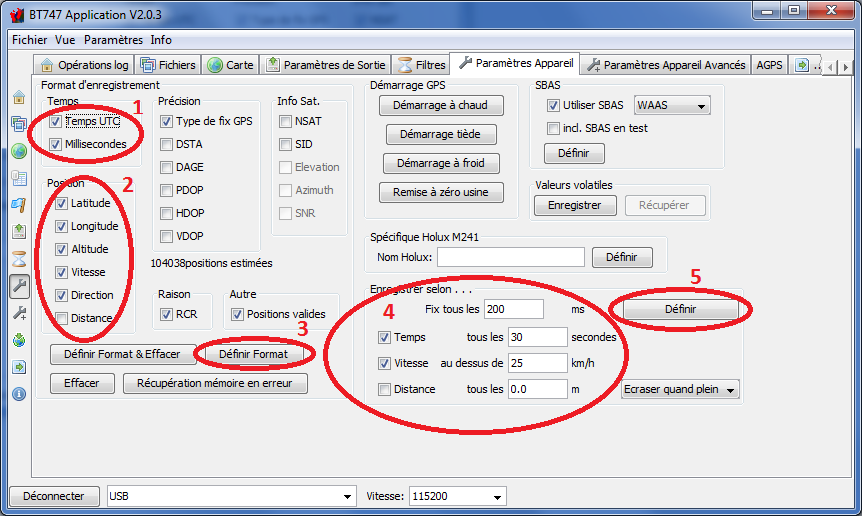
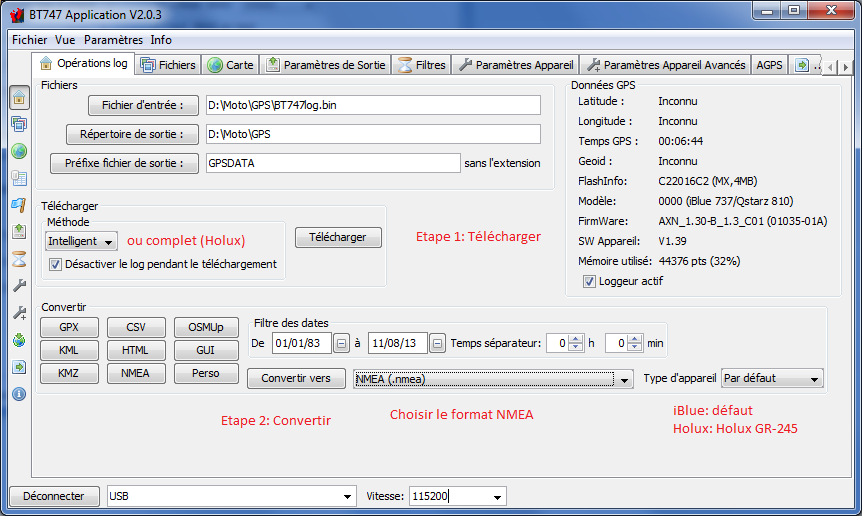
Thanks to okocedion for walkthrough : http://okocedion.free.fr/index.php?rep=tuto_bt747_racechrono
Missing data
In “Paramètres de Sortie” tab, tick “Créer les champs manquants”
Use external GPS as default on android phone
Download Bluetooth GNSS & Bluetooth GPS, activate mock locations then maps application should use your external GPS.